
ALPHA · FAMILIAR WORKFLOW · LIGHTWEIGHT BY DESIGN
Polygonal modelling, refined.
For game artists, students, modders, and independent teams who want the familiar logic of a 3ds Max-style polygon workflow in a fast, focused browser workspace without the premium cost.
THREEVER is in alpha: it is usable and it is being built in the open, but expect rough edges and keep your own backups of anything you care about.

Familiar from day one
Key shortcuts, navigation, and workflows that feel familiar.

Built for game and realtime geometry
The everyday polygon operations, without the scene-suite overhead.

Browser or desktop
WebGPU rendering in a tab, or installed on Windows and fully offline.

Physically based rendering right in the viewport
Mapped PBR shading with studio-style image-based lighting.
THE WORKSPACE
The workflow your hands already know.
The layout follows the mental model many artists already learned: four linked viewports, object and component levels, world and local transforms, editable pivots, command-panel tools, caddies, and modifiers.
- Familiar 1-5 component shortcuts and direct selection
- Grid, angle, and vertex snapping with editable pivots
- Non-blocking geometry edits in a Web Worker
- Undo/redo, autosave, and native session recovery
EDITABLE POLY
Powerful tools. Precise results.
The essential operations are always close, with focused caddies for the values that matter.
- 01

Extrude
Add form from selected polygons, borders, edges, or vertices.
- 02

Inset
Build clean inner faces with group and individual control.
- 03

Bridge
Connect compatible borders and close deliberate gaps.
- 04

Connect
Add edge segments with pinch and slide, or connect vertices.
- 05

Chamfer
Create controlled edge transitions for readable highlights.
- 06

Slice
Cut geometry with an interactive plane and keep modelling.
- 07

Weld
Merge nearby vertices or target a precise destination.
- 08

Subdivide
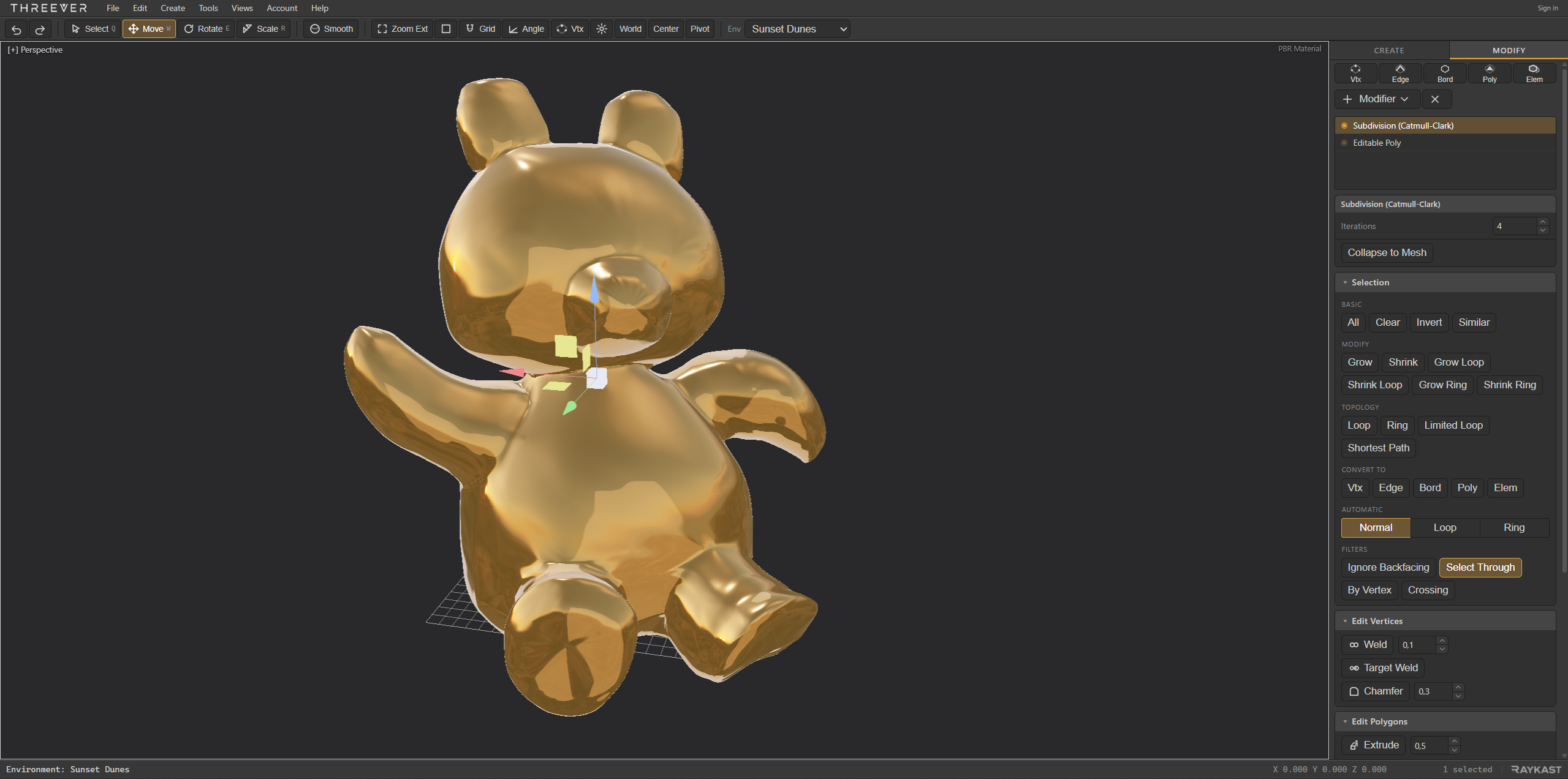
Preview Catmull - Clark smoothing through the modifier stack.
PRECISION WITHOUT FRICTION
Model with clarity.
Keep spatial feedback and surface decisions visible while familiar precision tools stay close to the model.
- XYZ

Familiar transform gizmos
Move, rotate, and scale in world or local space with readable axis feedback and editable pivots.
- SNAP

Precise snapping
Combine grid, angle, and vertex snapping to place geometry deliberately without breaking flow.
- UVW
Integrated UVW editor
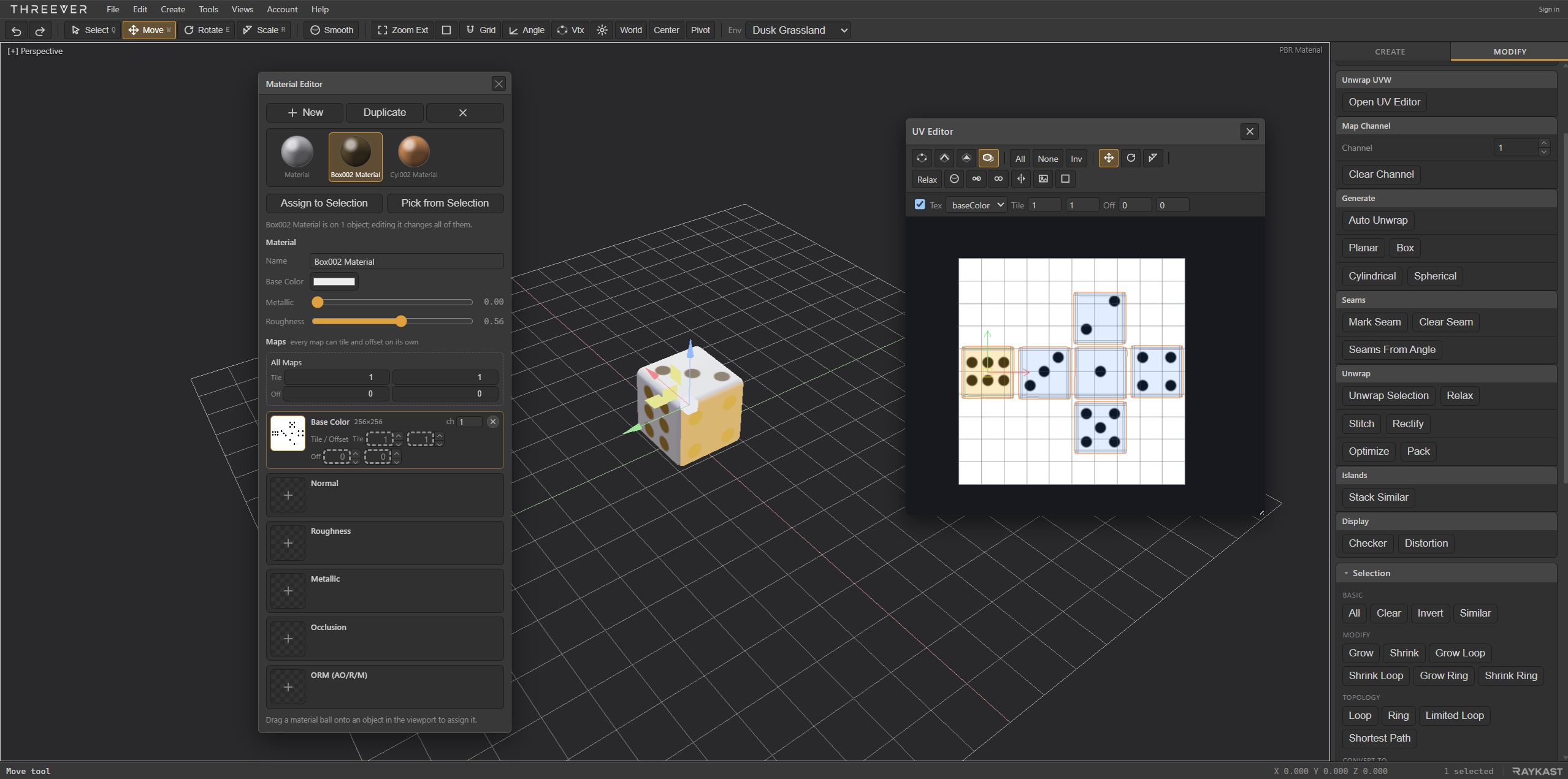
Unwrap, inspect, and refine texture coordinates with a checker view for spotting scale and distortion.
REALTIME LOOK DEVELOPMENT
Materials you can actually read.
Image-based lighting brings shape, metal response, and roughness variation into the modelling viewport without requiring an offline renderer.
- MATERIAL

Mapped PBR
Base color, normal, ambient occlusion, roughness, metallic, and packed ORM maps feed a metallic-roughness pipeline.
- LIGHT

Studio IBL
Switch between Dusk Grassland, Sunset Dunes, and a lean blue/orange Procedural Studio environment.
- VIEW

Per-viewport display
Give every viewport its own shading mode, or apply one mode across the full layout.
- SURFACE

Existing UVs, immediate feedback
Texture maps follow generated and edited UV coordinates, with a checker mode for distortion checks.
SEE IT WHILE YOU MODEL
Judge the surface, not a preview of it.
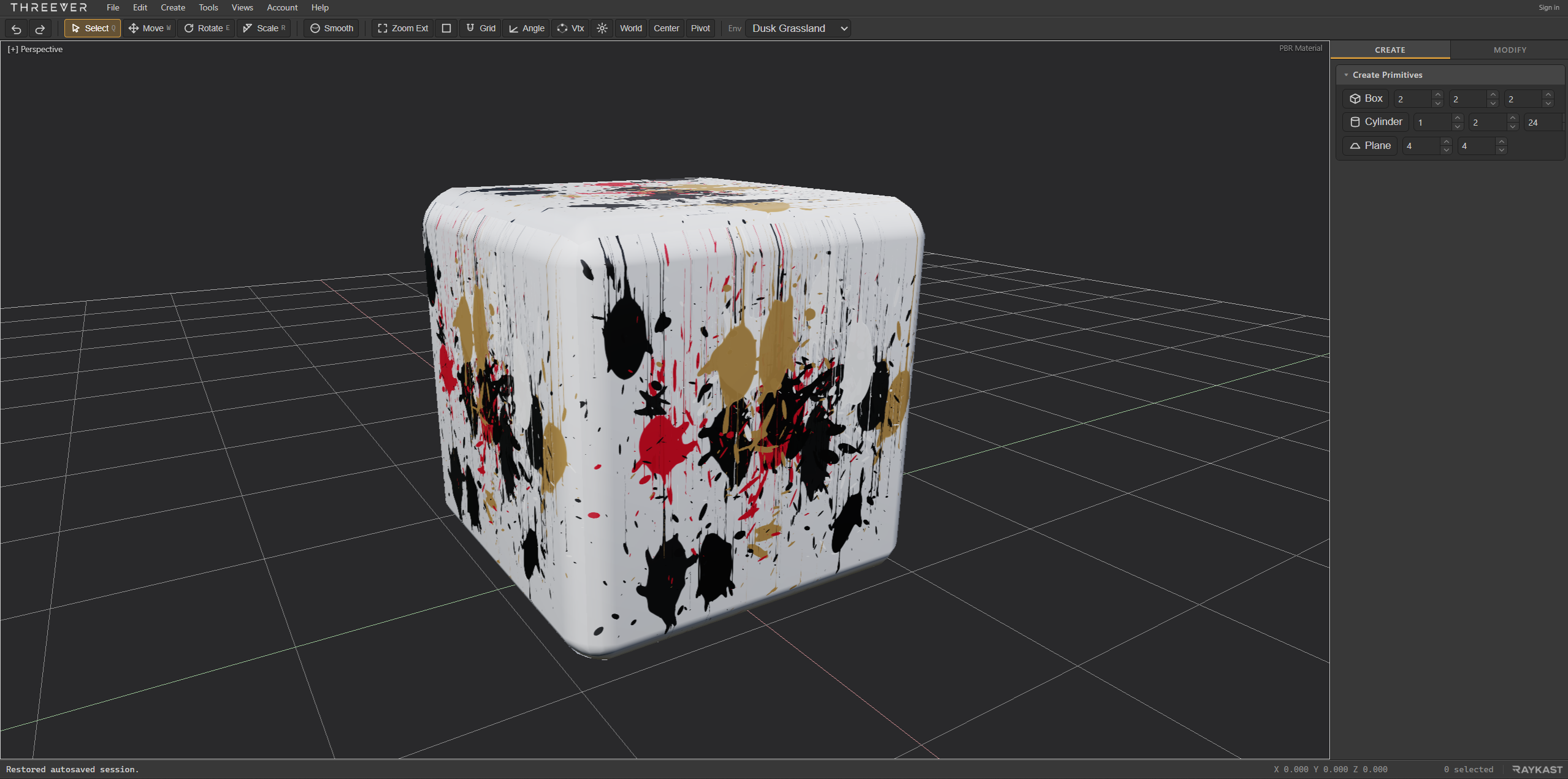
Physically based shading runs in the viewport under image-based lighting, so highlights, metal response and roughness read while you are still modelling - not after an export to something else.
- Base color, normal, roughness, metallic, occlusion and packed ORM maps
- Every map with its own tiling, offset and UV channel
- Materials shared across objects, so one edit reaches all of them
- Switchable studio environments for judging a surface under different light
A SHORTER MODELLING LOOP
From primitive to portable mesh.
- 01
Block the form
Start with a box, cylinder, or plane and frame it instantly across the viewport layout.
- 02
Edit the topology
Move between components, direct tools, snaps, and world/local coordinates while the worker owns the heavy geometry work.
- 03
Inspect the surface
Unwrap and check UVs, assign texture maps, then judge highlights and material response under selectable IBL.
- 04
Take it with you
Import or export OBJ, export glTF with normals, and rely on local autosave while the document is in progress.
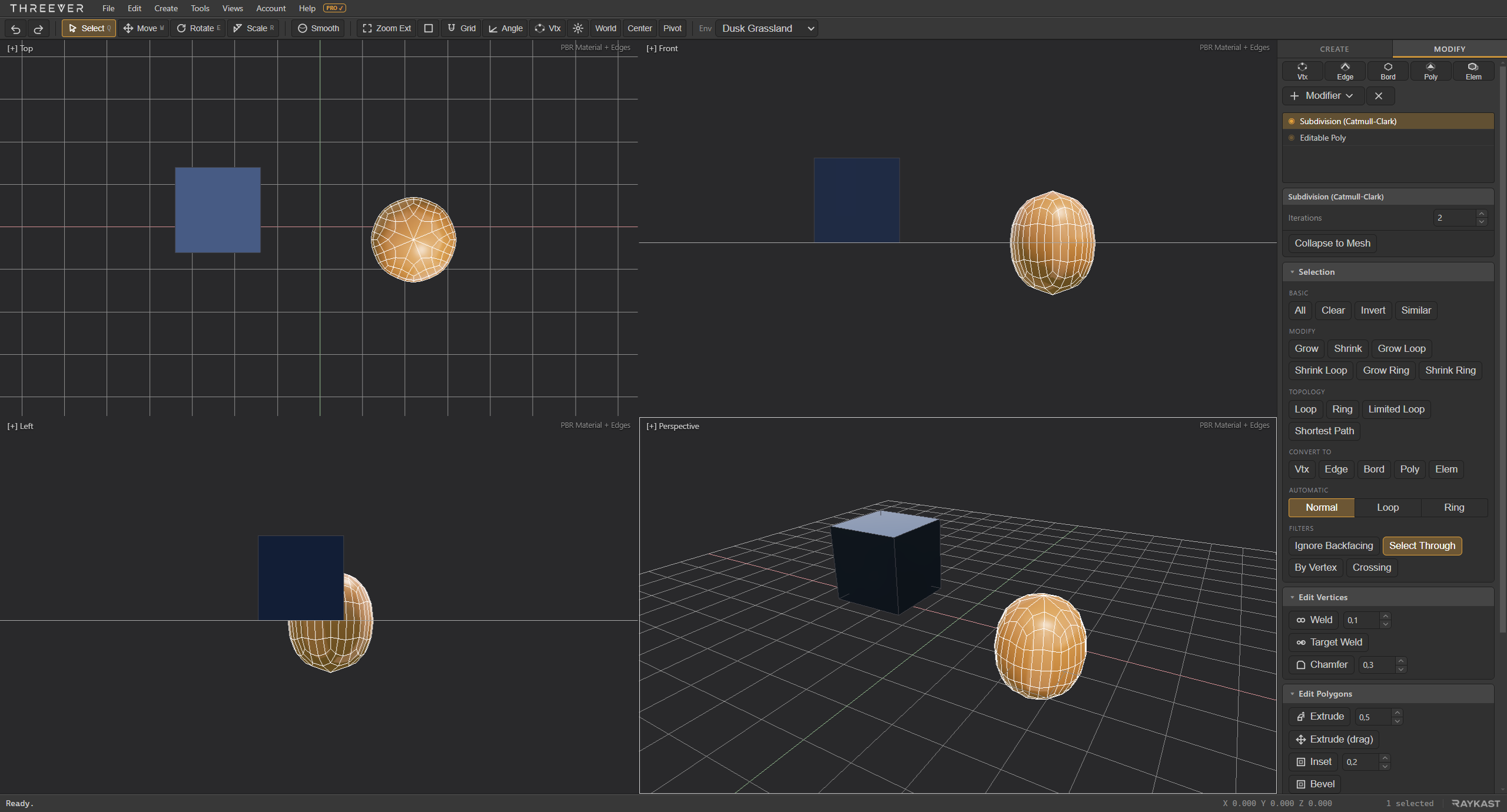
NOW ON THE DESKTOP
The same modeller, installed.
THREEVER now runs as a Windows desktop application as well as in the browser. It is the same editor, the same workflow, and the same files - installed, so it opens from your taskbar and keeps working with no connection at all.
- Works fully offline, with no browser tab and no sign-in
- Asks your machine for its high-performance GPU, which a web page cannot do
- Keeps working while it sits behind another window
- Remembers its window size, position, and maximised state between launches
- Your scenes stay yours: the same OBJ, glTF, and STL import and export
MADE FOR THE MODELLING WORK YOU ACTUALLY DO
Familiar capability, focused scope.
Made for game artists
Shape props, level assets, hard-surface forms, and game-ready topology in one focused workspace.

Keep the muscle memory
Quad views, component hotkeys, caddies, pivots, snaps, and a modifier stack feel immediately familiar.
Focused, not stripped down
The high-value polygon tools stay close while unrelated scene-production complexity stays out of the way.

Open and start
A static WebGPU application with browser-side sessions and no mandatory cloud workflow.
PRICING AND ROADMAP
Try now. Follow the roadmap.
Try THREEVER in your browser now. Sign up for free to receive feature updates, roadmap milestones, and product updates as the full release takes shape. Pricing will be announced before release, with accessible plans for independent work, learning, and small production teams.
- NOW
Try THREEVER now
Open the browser workspace today at no cost. Model with the familiar polygon workflow, local project recovery, PBR materials, and IBL. Launch THREEVER.
- NEXT
Offline rendering
Take finished scenes beyond realtime viewport evaluation with a focused offline-rendering workflow.
- PLANNED
Substance integration
Move authored materials into THREEVER through a streamlined Substance material workflow.
- FUTURE
Share and store
Publish content easily across the web and keep projects available through optional cloud storage.
FREE PRODUCT UPDATES
Stay close to what comes next.
Sign up for free to receive THREEVER feature updates, roadmap milestones, and full product news. You can also tell us what you model and which familiar workflows matter most to you.
Prefer email?
GOOD TO KNOW
Questions before you start.
THREEVER is deliberately focused on the polygon workflow. Here is where it fits today.
Who is THREEVER for?
THREEVER is designed for game artists, students, modders, technical artists, and independent teams who need a capable polygon modeller without the weight of a full digital-content-creation suite.
Will it feel familiar to 3ds Max artists?
Yes. THREEVER was born from a practical need. Its creator learned 3ds Max as a primary DCC and wanted the same modelling instincts to carry into hobby and freelance work without the weight of a full production suite. THREEVER preserves the muscle memory that matters, including quad viewports, navigation, shortcuts, component levels, transform gizmos, caddies, snaps, pivots, and an Editable Poly-style workflow. THREEVER is independently developed and is not affiliated with or endorsed by Autodesk.
What do I need to run THREEVER?
In the browser, a current Chromium-based browser with WebGPU enabled, such as Chrome or Edge. The application is fully static and runs from a secure web origin or localhost. The desktop application is a normal Windows install and brings its own renderer, so nothing needs to be enabled first.
What does "alpha" mean for THREEVER?
It means the application is usable and being actively developed, not that it is a preview you cannot rely on. Every release is tested before it ships, and the polygon, UV and material workflows are complete enough to do real work with. It also means things will change, some of them visibly - features are still being added, details still move, and you may find bugs. Please export or save your work to a file you control rather than relying only on autosave, and tell us what breaks - during alpha that feedback shapes what gets built next.
Will my files still open later?
Scenes save as ordinary files you keep, and we take care that a project saved in one version opens in the next. During alpha we cannot promise that for every change, so export anything important to OBJ or glTF as well - those are open formats that any tool can read, and they are not going anywhere.
Is there a desktop version?
Yes. THREEVER runs as a Windows desktop application built from the same editor as the browser version, so the workflow, shortcuts, and files are identical. It works fully offline, asks your machine for its high-performance GPU, and keeps its window size and position between launches. You can download it now from itch.io.
Is THREEVER a renderer?
THREEVER provides realtime PBR and image-based lighting for surface evaluation. It is a polygon modeller and UV workspace, not an offline path-tracing renderer.
Which texture maps are supported?
Base color, normal, ambient occlusion, roughness, metallic, and packed metallic-roughness/ORM workflows are available in the PBR material controls.
Which file formats can I use?
You can import and export OBJ meshes and export glTF geometry with generated normals. Native browser-side sessions provide autosave and recovery while you work.
Ready to start modelling?
Open the workspace, create a primitive, and turn on PBR Material when you want to judge the surface as clearly as the topology.
WHAT'S NEW
Changelog.
30 July 2026 v0.0.65
- Shorten the itch devlog to the announcement it is
29 July 2026 v0.0.63
- Add the early-alpha launch devlog for itch.io
- Desktop 0.0.61: the build pushed to itch with the import fixes
- Imported models keep their shading, and their texture goes on the right way
- Desktop 0.0.59: the version the packed build was made at
- glTF: import the half of the format that lives in other files
- Pack: one build in dist, so publish cannot reach for the old one
- One icon for THREEVER, in every place something shows one
- Desktop: the zip extracts to one folder, and the window carries the icon
- Three bugs from testing: the drop, UV redo, and the face tint
- Marketing: the desktop CTA is a download now, because there is one
- Changelog regenerates inside the commit it describes
- Changelog: regenerate at the version this commit carries
- Changelog labels the day it actually ended on; butler failures read as failures
- THREEVER is alpha, and the version numbers now say so
- Add a disclaimer and limitation of liability page
- Desktop: decide on signing - unsigned for now, and correct a stale claim
- The Windows build ships to itch.io, at the version it actually is
- Add PROJECT.md: what THREEVER is, and why it is built this way
- Bring /api/contact home, and let a bought copy keep its attachments
- Fix: a material dropped on the viewport was refused on the way in
- Marketing: announce the desktop application, with a shot of the real thing
- The API to the house C# standards: contracts, not anonymous objects
- Name the modifier and texture-slot strings; look up rather than scan
- Materials are a scene library; every modifier is its own file
- A light is a scene object, so it selects, moves and rotates like everything else
- Cloth is a modifier, through a registry that lets paid modules add types
- Bake is scene-level; the menu bar is the title bar
- Desktop plan: renumber the open list after the icon landed
- Desktop: shell quality, raised GPU limits, itch.io publish
- Desktop build: the same editor, sold once
- Refactor: shared pro modules, extracted subsystems, deduplicated tooling
- Phase 5: realtime cloth, freezable for export
- Phase 4: point and spot lights with realtime shadows
28 July 2026 v0.0.27
- Per-map UV controls, background maps, and GPU baking
- Per-map texture scale and offset
- Drive both sides of the pro gate locally; record where entitlement should live
- Phase 0: the pro seam, with the entitlement actually withholding code
- Plan of record for the pro feature program
- Pro entitlement: server-decided, client-reflected
- Edit Normals: collapse into the mesh, like Subdivision and Symmetry
- Track SWAZM as a submodule here too
- Cover the account controller's failure paths
- Optional accounts in the editor: skippable prompt, menu-bar hint
- THREEVER: send as CONTACT_SENDER, and link back to the request's origin
- THREEVER: declare its own setting names through the shared resolver
- THREEVER: accept Klubplan's app-setting names too
- THREEVER: send real reset and verification mail via the shared transport
- Deploy the accounts API alongside the site; ignore its publish output
- THREEVER accounts: match Klubplan's signup flow, and refuse to lose accounts
- Refresh the published changelog for the deployed build
- Changelog: label each day from the unfiltered log, guard the withholding
- Accounts API for THREEVER on the shared Website.Auth module
- Hero plexus: warm and ink only, no palette blue
- Changelog: match the site's section rhythm, container and spacing
- Changelog: timeline layout, moved to the end of the page, own nav entry
- Changelog: regenerate after enabling version bumps
- Changelog generated from the commit log, and auto version bumps
- Gizmo: pick the axis where it is DRAWN, not at an assumed on-screen length
- Gizmo: a cursor on an axis line grabs the axis, not the plane square behind it
27 July 2026 v0.0.0
- Chamfer: bow the corner arcs off the edge axis, not the vertex; gizmo click-through
- Chamfer: corners are a real quad grid on a fitted sphere, not a fan
- Chamfer: the corner where several edges meet now bulges outward, not inward
- Chamfer: Quad mitering doubles the cross-section, so corners round and Depth works
- Add Remove (Backspace / Ctrl+Backspace) for edges and vertices
- Chamfer: quad mitering that actually produces quads at the corners
- Add a post-deploy gate that checks the DEPLOYED app renders a texture
- Marketing: changelog entries that explain the work, not just name it
- Fix three ways a base-color texture could vanish from the viewport
- Symmetry: free rotation of the mirror plane (arbitrary tilted plane)
- Symmetry: interactive mirror-plane gizmo (Adjust Plane) + Offset control
- Fix vertexHalfEdges: full 1-ring coverage at boundary vertices
- Edit Normals: Weighted Normals action (area x angle vertex normals)
- Edit Normals modifier: explicit face/vertex normal control (Max-style)
- Subdiv preview carries the secondary UV stream (per-map channels)
- Per-map UV channels: each texture picks its map channel, rendered live
- Chamfer: lock in the rounded multi-segment behaviour; drop the stale TODO
- Symmetry (Mirror) modifier: model half, see the welded whole
- Fix stale-handle race in #setSubLevel; make the driven verify deterministic
- STL import/export (binary + ASCII import, binary export, welded)
244 earlier changes are in the repository history.